
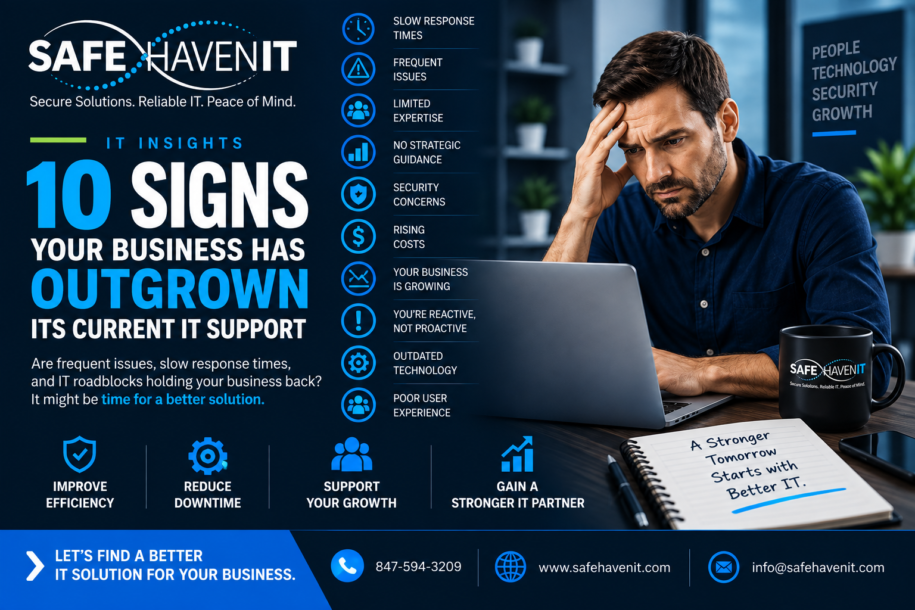
Safe Haven IT perspective: Technology should reduce friction, strengthen resilience, and support the organization’s goals. The following guide is written for business and organizational leaders who want practical next steps without unnecessary jargon.
1. The Same Problems Keep Coming Back
A printer fails every Monday. A line-of-business application freezes every few weeks. Employees repeatedly lose access to shared resources. When the same issues return, the problem is often not a lack of effort – it is a lack of root-cause analysis, documentation, standardization, or proactive maintenance. Good IT support should reduce recurring issues over time, not simply close the same ticket again and again.
2. Support Is Mostly Reactive
If IT only gets involved after something breaks, your organization is operating in firefighting mode. A more mature approach includes patching, monitoring, lifecycle planning, backup checks, security reviews, and regular maintenance designed to prevent avoidable disruption.
3. Employees Wait Too Long for Help
Technology problems quickly become productivity problems. If users routinely wait hours or days for basic assistance, calculate the lost staff time across the organization. Responsive help desk support should give employees a clear place to go and a predictable process for getting assistance.
4. Nobody Has a Reliable Technology Inventory
You should be able to answer basic questions: Which computers are in service? Which systems are business-critical? When do warranties expire? Who has administrative access? What software is installed? An incomplete inventory makes budgeting, security, support, and incident response harder than they need to be.
5. Onboarding and Offboarding Are Inconsistent
New employees should receive the right accounts, permissions, devices, and security controls. Departing employees should lose access promptly and company equipment should be recovered. If the process depends on someone remembering a checklist from memory, risk increases.
6. Patching Is Unpredictable
Operating systems, browsers, applications, network equipment, and other technology require ongoing updates. If nobody can explain how patches are prioritized, tested, deployed, and verified, your organization may be carrying unnecessary security and reliability risk.
7. Backups Exist, but Nobody Tests Recovery
A successful backup job is not the same thing as a successful recovery. Organizations should know what is backed up, how long data is retained, where copies are stored, who can restore data, and whether recovery has actually been tested.
8. IT Decisions Happen Only When Something Is Urgent
Replacing a server after it fails or buying laptops only when employees complain is expensive and disruptive. A technology roadmap helps leadership anticipate lifecycle replacements, licensing changes, security improvements, cloud projects, and budget requirements.
9. Security Responsibilities Are Unclear
Cybersecurity is not one product. Identity, endpoints, email, networks, backups, awareness, access control, and response planning all matter. If no one owns these responsibilities or measures whether controls are working, gaps can persist unnoticed.
10. Leadership Cannot Get a Clear Picture of IT
Business leaders should not need to understand every technical detail, but they should have visibility into major risks, recurring issues, upcoming costs, and improvement priorities. If IT feels like a black box, it may be time for a more structured service model.
What Better IT Support Looks Like
The goal is not simply faster troubleshooting. Strong IT support combines responsive assistance with proactive management, documentation, security, planning, and accountability. The right model may be fully outsourced managed IT, an internal team, or a co-managed combination. What matters is that technology supports the organization instead of repeatedly interrupting it.
Where Safe Haven IT Can Help
Safe Haven IT helps Chicagoland organizations improve day-to-day technology support, cybersecurity, Microsoft 365, cloud and backup, and long-term IT planning. If you would like to discuss the issues in this article in the context of your environment, start with a conversation rather than a product list.
Explore Managed IT Services -> /managed-it-services/